KPSOL vs Confluence: Beyond Collaboration to Better Knowledge Management
Vendor Comparisons
KPSOL vs Confluence: Beyond Collaboration to Better Knowledge Management
KPSOL is a dedicated knowledge management platform designed to help organisations govern, maintain and discover business-critical knowledge. Atlassian Confluence is a collaborative documentation and content-sharing platform designed to help teams create, organise and share information. While Confluence is particularly effective for team collaboration, project documentation and integration with the wider Atlassian ecosystem, KPSOL offers more specialised capabilities for structured knowledge governance, answer-level search, content maintenance and tailored knowledge experiences. The right choice depends on how your organisation needs to manage and use its knowledge.
Choosing a knowledge management (KM) platform is about more than creating pages, sharing information or collaborating on documents. Organisations need to ensure that knowledge is accurate, accessible, secure, easy to find and continuously maintained.
Atlassian Confluence is widely used for team collaboration, documentation and knowledge sharing. It provides a flexible environment for creating pages, organising content into spaces, collaborating in real time and connecting information with other Atlassian products, particularly Jira.
However, collaboration and knowledge management are related rather than identical objectives. Organisations that need structured knowledge creation, controlled review processes, targeted information discovery and tailored experiences for different audiences may require capabilities beyond a conventional collaborative documentation platform.
KPSOL offers a dedicated, governance-led knowledge management alternative to using Confluence alone. It combines configurable workflows, granular access controls, structured content management, answer-level search and knowledge maintenance capabilities in one platform.
For organisations already using Confluence, the choice does not necessarily have to be either/or. KPSOL can complement an existing technology environment by providing a more specialised approach to managing, discovering and maintaining business-critical knowledge.
This comparison examines how the two platforms differ, where each delivers value and which is better suited to different knowledge management requirements.
KPSOL and Confluence: An Overview
KPSOL: Purpose-Built Knowledge Management
KPSOL helps organisations manage business knowledge through configurable governance, structured content, controlled access and ongoing knowledge maintenance.
Its Universal Knowledge platform includes:
Configurable content workflows, approval processes and review reminders.
Revision history, revision comparison, rework requests and content revalidation.
Granular roles, user groups, secure portals and section-level content classifications.
Structured templates, mandatory custom fields, taxonomies and decision trees.
Answer-level search, relevant document sections, filters and search analytics.
Multiple tailored homepages and layouts for different teams and audiences.
Indexing of content from supported external repositories, including SharePoint, Google Docs, Dropbox and websites.
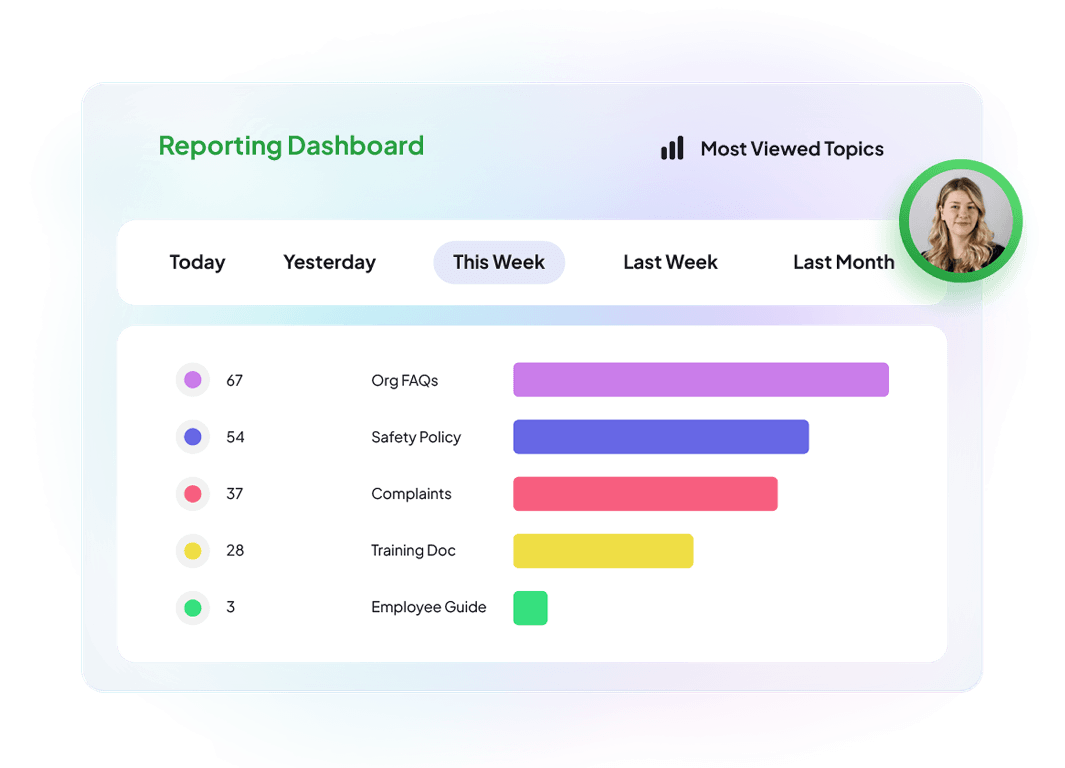
Knowledge gap identification, usage reporting and contribution insights.
These capabilities are particularly relevant to organisations where knowledge must remain accurate, consistent and appropriately controlled throughout its lifecycle.
Rather than simply providing a collaborative space for creating and sharing information, KPSOL focuses on making knowledge easier to manage, maintain and use across the organisation.
Confluence: Collaboration, Documentation and Knowledge Sharing
Atlassian Confluence is a collaborative content management and documentation platform designed to help teams create, organise and share information.
It enables organisations to create pages, organise content into spaces, collaborate on documentation, share project knowledge and connect information with other Atlassian products. Its integration with Jira makes it particularly useful for organisations that want project information, technical documentation and team knowledge connected to their wider workflows.
Confluence can support knowledge management through features such as:
Collaborative pages, real-time editing and commenting.
Spaces, page hierarchies and content organisation.
Page templates, databases and structured content options.
Page history, version comparison and content restoration.
Permissions, access controls and content restrictions.
Search, labels and content discovery.
Automation and integrations with Jira and other applications.
Atlassian Rovo AI capabilities for AI-supported search, content assistance and knowledge discovery, subject to subscription and configuration.
These capabilities provide a strong foundation for team collaboration, documentation and information sharing.
However, more specialised knowledge management processes may require additional configuration, automation, marketplace applications or complementary platforms.
The key consideration is whether an organisation needs a collaborative documentation and project knowledge platform, a dedicated knowledge management solution, or both.
The following comparison looks at capabilities relevant to organisations considering a dedicated knowledge management solution.
Rather than assigning numerical scores, it identifies where functionality is available, where additional configuration or applications may be required and where the platforms take different approaches.
◐ Page history, permissions, content restrictions and automation support content management. More specialised knowledge lifecycle processes may require additional configuration or apps.
Access control
✓ Granular roles, user groups, secure portals and section-level content classifications.
✓ Space permissions, page restrictions and user/group access controls, with administration capabilities varying by plan.
◐ Page history, version comparison, restoration and automation options. Broader knowledge maintenance processes may require additional configuration or apps.
Real-time collaborative editing
◐ Authors can collaborate through discussions, but only one author can edit content at a time.
✓ Multiple users can collaborate on Confluence pages in real time.
Answer-level search
✓ Identifies relevant sections within longer documents and presents targeted results.
◐ Confluence search and Atlassian Rovo provide content discovery and AI-supported search capabilities, but the experience and level of answer specificity depend on content, configuration and available features.
External knowledge sources
✓ Supported repositories including SharePoint, Google Docs, Dropbox and websites can be indexed at source.
◐ Supports integrations and connected content discovery through available Atlassian features and apps. Coverage across external repositories depends on connectors, configuration and subscription.
Tailored team experiences
✓ Multiple configurable homepages, layouts, navigation and role-specific content.
✓ Customisable spaces, pages, templates, navigation and content presentation.
Knowledge-specific features
✓Ask the Expert, rework requests, decision trees and knowledge gap reporting.
◐ Similar processes can be developed using Confluence, Rovo, automation and marketplace applications, but may require additional configuration or applications.
Integration
✓ APIs and supported integrations with business applications, repositories, CRM and ITSM systems.
✓ Extensive Atlassian ecosystem integration, particularly with Jira, alongside marketplace apps, connectors and APIs.
Transparent and Flexible Pricing
✓ Feature-inclusive pricing proposition, starting at £10 per user per month, with hosting, maintenance and support included according to the published proposition.
◐ Free and paid subscription tiers, with functionality, administration capabilities, AI features and support varying by plan. Additional costs may arise from apps, implementation and administration.
Understanding the comparison: Both platforms provide valuable capabilities, and there is considerable overlap in areas such as content management, access control, versioning, collaboration and integration. The main distinction is that KPSOL provides dedicated knowledge management functions within one platform, whereas Confluence offers a broader collaborative documentation environment that organisations can configure and extend to support knowledge management.
Confluence is particularly strong for collaborative content creation and Atlassian-connected workflows. KPSOL is particularly suited to organisations that need more specialised control over knowledge structure, governance, maintenance and answer-level discovery.
Five Reasons to Consider KPSOL for Knowledge Management
Put Knowledge Governance at the Heart of the Process
Business knowledge needs to be more than available. It needs to be accurate, current, approved and maintained throughout its lifecycle.
Without structured governance, organisations can accumulate outdated procedures, inconsistent guidance and duplicated information. Employees may struggle to determine which version is authoritative, while content owners can find it difficult to keep information up to date.
These capabilities help organisations establish repeatable processes for creating, reviewing and maintaining business-critical knowledge.
Confluence also provides page history, permissions, content restrictions, archiving and automation options. These are useful for managing collaborative documentation and controlling access to information. However, organisations seeking more specialised knowledge lifecycle processes may need to design and maintain additional configuration or use marketplace applications.
The business benefit: A more controlled approach to knowledge quality, clearer accountability for reviews and less reliance on informal content maintenance.
Create a Tailored Knowledge Experience for Every Team
Different teams need different information, navigation and ways of working.
Customer service employees may need troubleshooting guidance and standard responses. Operational teams may require process instructions and compliance information. HR teams may need policies and employee guidance, while technical specialists may require detailed procedures.
A single knowledge experience may not meet every audience’s needs equally well.
KPSOL enables organisations to create multiple tailored homepages and layouts, configuring content, navigation and presentation for different teams and use cases.
Confluence can also provide tailored experiences through spaces, pages, templates, navigation and content restrictions. Its flexible structure makes it useful for organising departmental knowledge, project documentation and team collaboration.
The relevant consideration is how much configuration, ongoing administration and maintenance the organisation wants to undertake, particularly when creating distinct knowledge experiences for different operational roles.
KPSOL provides a more dedicated approach to configuring the knowledge environment around the needs of different teams, rather than relying primarily on a collaborative page and space structure.
The business benefit: More relevant knowledge experiences that help employees access information aligned with their roles and responsibilities.
Finding a document is not always the same as finding an answer.
Employees may know that relevant information exists but still need to search through lengthy files, navigate multiple pages or ask colleagues for help locating the correct section.
KPSOL focuses on knowledge discovery through answer-level search, relevant document sections, filters, structured taxonomies and search analytics.
Its fragment search technology identifies the most relevant sections within longer documents, helping employees move closer to the information they actually need without having to open and read entire files.
Confluence provides search capabilities across its pages and spaces, with additional AI-supported discovery through Atlassian Rovo, subject to subscription and configuration. These features can help employees locate relevant pages and discover connected information across the Atlassian environment.
However, organisations should distinguish between finding a relevant page and identifying the precise passage or answer within a longer document. The quality of the experience depends on the content, search configuration and capabilities available within the selected Confluence subscription.
For organisations whose employees regularly need specific answers rather than entire documents or project pages, the quality of the search experience should be an important evaluation criterion.
The business benefit: A more targeted approach to finding relevant information, with the potential to reduce time spent searching and reliance on colleagues for routine answers.
Actual search effectiveness should be tested using representative organisational questions and content.
Connect Existing Knowledge Without Unnecessary Duplication
Business knowledge is rarely stored in one place. It may be distributed across SharePoint, shared documents, specialist repositories, websites and departmental systems.
Copying information into another platform can create additional maintenance work and increase the risk of inconsistent versions.
KPSOL can index content from supported external repositories, including SharePoint, Google Docs, Dropbox and websites, without duplicating the original source content.
This creates an opportunity to provide a more connected knowledge experience while allowing source information to remain in its existing location.
Confluence provides a substantial integration ecosystem, particularly for organisations already using Jira and other Atlassian applications. It can connect project documentation, development information and wider team workflows.
However, bringing knowledge together across multiple external repositories may require additional connectors, marketplace applications, integration work or configuration, depending on the sources involved.
The business benefit: Greater accessibility across distributed knowledge sources, with less need to maintain duplicate copies.
Specific repository coverage, indexing behaviour, synchronisation and permission handling should be confirmed for the required integrations.
Understand the Full Cost of Knowledge Management
The cost of a knowledge management solution extends beyond its initial licence.
Organisations should consider implementation, configuration, administration, integrations, ongoing maintenance and the effort required to deliver the intended employee experience.
Confluence offers a free plan alongside paid subscription tiers. This can make it an attractive starting point for organisations that need collaborative documentation and project knowledge sharing.
However, if a more specialised knowledge experience is required, the organisation should also account for the subscription tier, marketplace applications, additional configuration, automation and supplementary tools needed to deliver it.
KPSOL publishes a starting price of £10 per user per month and presents a feature-inclusive proposition covering its full feature suite, hosting, maintenance and support, according to its website.
Its commercial proposition emphasises flexible pricing without additional charges for specific functionality, configuration or security models, subject to agreed pricing terms.
The important point is to compare the total investment required to achieve the desired knowledge management outcomes, rather than comparing licence costs in isolation.
The business benefit: A clearer basis for comparing the total cost of ownership and understanding what is included in each solution.
Both vendors’ licensing terms, feature inclusions, implementation requirements, usage limits and any additional application costs should be confirmed before a purchasing decision.
When Is Confluence Enough, and When Should You Consider KPSOL?
The best solution depends on the organisation’s requirements, existing technology environment and approach to knowledge management.
Confluence may be the right choice when:
The primary requirement is collaborative documentation, team knowledge sharing and project information management.
The organisation is already heavily invested in Jira and the wider Atlassian ecosystem.
Employees need to create and edit content collaboratively in real time.
Spaces, pages and templates provide sufficient structure for organising organisational information.
Existing page history, permissions and automation processes meet organisational requirements.
The organisation is comfortable configuring and maintaining its own knowledge processes.
There is no immediate requirement for a separate, dedicated knowledge management platform.
For many organisations, Confluence is an entirely reasonable choice. If its existing functionality meets business requirements, introducing another platform may add unnecessary complexity.
KPSOL may be the better fit when:
Knowledge requires structured governance, review and revalidation throughout its lifecycle.
Different teams need tailored homepages and knowledge experiences.
Employees need to find specific answers within longer documents.
The organisation wants dedicated knowledge management features rather than building every process from general-purpose collaboration tools.
Knowledge is distributed across several repositories and needs to be discoverable without unnecessary duplication.
Content owners need greater visibility of knowledge gaps, usage and maintenance requirements.
Guided decision trees and structured processes are important for consistent employee responses and operational activities.
Transparent, feature-inclusive pricing is an important purchasing consideration.
What if your organisation already uses Confluence?
Replacing an existing platform is not always necessary or desirable.
KPSOL can complement an existing technology environment by providing a dedicated knowledge management experience while connecting to supported external content sources.
This approach allows organisations to retain their existing collaboration and documentation tools while exploring a more specialised way to govern, discover and maintain knowledge.
For example, an organisation could continue using Confluence for collaborative project documentation while using KPSOL as its dedicated knowledge management platform for approved operational procedures, policies and business-critical guidance.
The objective is not to duplicate existing technology unnecessarily. It is to ensure that employees can find and use business-critical information effectively.
The Commercial Case: Compare Total Value, Not Just Features
A knowledge management platform should be judged by how effectively it supports organisational requirements, not simply by the number of features it offers.
When evaluating KPSOL and Confluence, consider five practical questions:
How much governance is required? Determine whether existing page approval, permissions and content management processes are sufficient or whether more structured knowledge lifecycle management is needed.
How do employees find answers? Test common employee questions against real documents, policies and procedures rather than relying solely on general search demonstrations.
How much configuration is required? Establish the effort needed to create team-specific experiences, maintain workflows and manage integrations.
Where does existing knowledge reside? Identify the repositories that need to be searched and confirm that the proposed solution supports the required content and permissions.
What is the total cost of ownership? Include licences, implementation, configuration, administration, integrations, marketplace applications and ongoing maintenance.
Confluence can be an effective and economical solution when the organisation’s requirements align with its collaborative documentation and Atlassian ecosystem capabilities.
KPSOL becomes particularly compelling when the organisation needs a more dedicated approach to knowledge governance, targeted discovery, knowledge maintenance and tailored employee experiences.
The most appropriate choice is the platform, or combination of platforms, that delivers the required outcomes with the least unnecessary complexity.
Frequently Asked Questions: KPSOL vs Confluence
Is KPSOL better than Confluence for knowledge management?
It depends on the organisation’s requirements. Confluence is a capable collaborative documentation and content-sharing platform, particularly for organisations using Jira and other Atlassian products. KPSOL is designed specifically for knowledge management, with dedicated capabilities for content governance, answer-level search, knowledge maintenance and tailored employee experiences. Organisations with more specialised knowledge management requirements may find KPSOL a better fit.
Can KPSOL integrate with Confluence?
KPSOL can index content from supported external repositories, and its integration capabilities should be evaluated against the specific Confluence content and access requirements. This can help organisations explore a connected knowledge experience while keeping original content in its source location. Specific Confluence integration coverage, indexing behaviour, permissions and synchronisation arrangements should be confirmed with KPSOL.
Can Confluence be used as a knowledge management system?
Yes. Confluence can support knowledge management through collaborative pages, spaces, templates, permissions, page history, search and automation. Its integration with Jira and other Atlassian products also makes it useful for connecting project and team knowledge. However, organisations requiring more specialised capabilities, such as answer-level search, structured knowledge lifecycle management and dedicated knowledge gap reporting, may need additional configuration or complementary applications.
What is the difference between document management and knowledge management?
Document management focuses on storing, organising, controlling and sharing documents. Knowledge management goes further by ensuring that information is structured, accurate, accessible, maintained and usable. It focuses on helping people find answers, understand processes and apply organisational knowledge effectively, rather than simply locating files or pages.
Can an organisation use KPSOL and Confluence together?
Yes. Organisations do not necessarily need to replace Confluence to benefit from a dedicated knowledge management platform. The two platforms can serve complementary purposes, with Confluence continuing to support collaborative documentation and project knowledge sharing while KPSOL provides dedicated knowledge management, discovery and governance capabilities. The suitability of this approach depends on the organisation’s content, integration and security requirements.
The Verdict: KPSOL vs Confluence for Knowledge Management
Confluence is a capable collaboration and documentation platform. Its real-time editing, page and space organisation, integrations with Jira and wider Atlassian ecosystem make it a strong option for organisations that want to connect project information and team knowledge.
For organisations whose requirements centre on collaborative documentation, project knowledge sharing and team communication, Confluence may provide everything they need.
However, organisations that need knowledge to be systematically governed, maintained, discovered and tailored to different audiences should look beyond collaboration and documentation alone.
Its ability to index supported external sources also creates an opportunity to connect existing knowledge without unnecessarily duplicating the original content.
For organisations that need a dedicated knowledge management platform, KPSOL deserves serious consideration. For organisations already using Confluence, it may offer a complementary approach that builds on existing technology rather than requiring a complete replacement.
The key question is not simply where information should be stored or how teams can collaborate on it. It is how effectively your organisation can govern, discover, maintain and use its knowledge.
If those are your priorities, evaluating KPSOL alongside Confluence could help identify the right approach for your organisation.
Discover What KPSOL Could Deliver for Your Organisation
Explore how KPSOL could help your organisation strengthen knowledge governance, improve information discovery and create a more consistent approach to managing business-critical knowledge.
Evaluate KPSOL against your current knowledge management challenges and discover how a more configurable, governance-led approach could support your teams.
Article information
Last reviewed: November 2026.
Accuracy statement: This comparison reflects product capabilities and publicly available information considered in November 2026. Features, integrations, licensing and functionality may vary according to product editions, configurations and commercial arrangements. Readers should confirm specific requirements directly with the respective suppliers before making purchasing decisions.
About the author
With 20 years at KPSOL, Joanne Southward brings extensive hands-on experience helping organisations implement knowledge management solutions. Combining a detailed understanding of KPSOL’s knowledge management platform, with a strong commitment to knowledge management best practice, Joanne’s approach is simple: understand the organisation, design the right solution, and help ensure its knowledge management investment delivers lasting value.
Book A Demo and See the Platform in Action
We’ll guide you through the main features, show real-world examples, and help you decide if it’s the right fit.