
Give Your Team Fast, Accurate, Answers Every Time
One intuitive knowledge management platform for every SOP, policy, FAQ and process. With answer-level search for the single source of truth your teams need.
-
 Create, publish and manage documents and workflows
-
Easy to search, with version control and compliance built-in
-
Get usage insights to fill knowledge gaps with useful content
Problem
- I can’t find anything when I need it.
- We’ve got documents in Teams, SharePoint, email, OneDrive, File Shares… it’s chaos
- We keep making mistakes because we’re using old files
Wasted Time & Slow Answers
Teams lose up to 20–25% of their day hunting through Files Shares, SharePoint, Teams, emails and old folders just to find the right document.
- Slow responses to customers and colleagues
- Knowledge gaps become people-dependent
- Staff frustrated before the task has even begun
When answers aren’t instant, everything slows down.
Scattered Knowledge & Zero Consistency
Critical SOPs, guides and policies live in different tools, versions and locations, often duplicated, outdated or hidden behind broken folder structures.
- No single source of truth
- People save their own local copies
- New starters have no idea where to look
When knowledge is scattered, teams work blind
Compliance Risk & Inconsistent Decisions
Without version control or structured governance, people follow different versions of the “same process” creating accuracy issues and audit exposure.
- Incorrect or outdated steps followed
- Decisions vary from person to person
- Hard to prove compliance or trace errors
When teams can’t trust the information, performance becomes unpredictable.











Your Entire Knowledge Ecosystem Centralised, Searchable, Governed

Answer-Level Search
Get instant, precise answers without opening long documents or hunting for the right section.
-
Answer-level access takes you straight to the exact paragraph you need
-
Filters refine results by category, team or content type
-
Jump-to-section previews reduce time spent viewing documents
-
Faster decisions made across your organisation

Structured Content Creation With Governance
Structured templates, decision trees, and guided workflows keep every SOP and process accurate and aligned
-
Decision Trees deliver step-by-step, consistent answers
-
Custom Fields enforce required information
-
Structured Templates standardise every content type
-
Approval Workflows control accuracy before publishing
-
Version Control stops outdated content resurfacing
-
Tags & Metadata keep everything organised

A Configurable Knowledge Hub That Instantly Feels Familiar
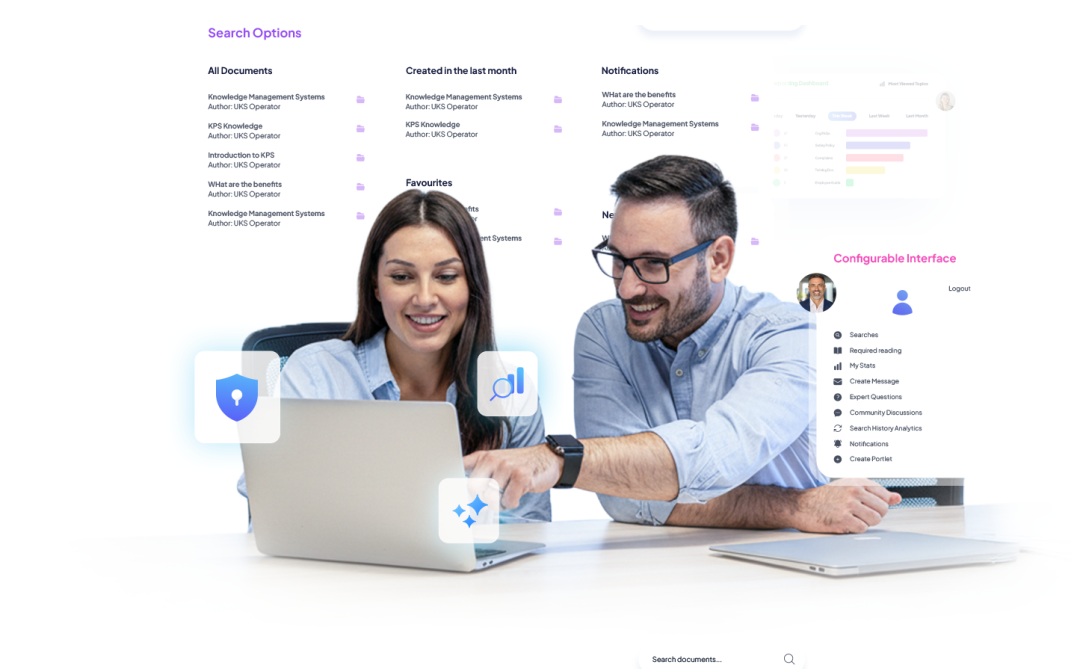
A clean, modern interface tailored to each role, so the right knowledge is always front and centre
-
Team Homepages surface each department’s most-used content
-
Role-Based Navigation shows only what’s relevant to the user
-
Custom Dashboards keep key SOPs and resources in easy reach
-
Drag-and-Drop Layouts make configuration quick and code-free
-
Consistent UI reduces training time and boosts adoption

User Analytics & Gap Insights
Real-time visibility into how knowledge is used, and where it fails, so leaders can improve accuracy, performance, and outcomes.
-
Search Analytics surface common needs and zero-result gaps
-
Usage Insights show top and low-performing content
-
Team Engagement reveals which departments rely on which knowledge
-
Contribution Analytics to reward top contributors
-
Gap Detection highlights missing or outdated content
-
KPI Alignment links knowledge use to service and performance metrics
-
Audit Trails support governance and compliance
Your Organization's Knowledge Contained Within One Intuitive Platform
A single source of truth for all your SOPs, policies, and guides, with the option to connect external systems when needed

-
Single Hub
for all internal knowledge, kept consistent and up to date
-
Connect External Sources
like SharePoint, Cloud Drives, CRM, CX, and ITSM tools
-
Unified Search
finds answers across both internal and connected repositories
-
Original File Access
with no duplication or re-upload
-
Duplicate Prevention
keeps teams aligned on the same content
-
Automatic Metadata
keeps external content organised and searchable
Who Uses Universal Knowledge?
Customer Service Teams

Troubleshooting guides, scripts, and instant access to accurate answers.
Field & Operational Staff

Step-by-step instructions, SOPs, and decision trees wherever they’re working.
HR & Internal Communications

Policies, onboarding materials, and consistent employee guidance
Managers & Team Leaders

Performance insights, usage analytics, and gap reporting to improve team outcomes
IT & Information Governance

Secure access controls, integrations, and a single source of truth across systems
What Our Clients Said


Marilyn Adiyan
London Barking and Dagenham Council

Tony Lackey
SRO Solutions

Go Live in Days, Not Months
A fast, flexible rollout, with minimal effort required from your IT team.

Choose Your Deployment Model
Deploy KPSOL as SaaS on Azure (choose your region for data sovereignty), On-Premise, or Hybrid.

Connect Your Systems
Use pre-built connectors to pull content from SharePoint, OneDrive, and Network Drives, or import existing files in minutes. Choose a full KPSOL Universal Knowledge setup, or a hybrid mix with your existing repositories.

Configure Roles & Structure
Set up teams, roles, and permissions. Apply templates, workflows, and taxonomies to standardise content creation.

Launch & Scale Quickly
User onboarding in days. Admin tools and workflows make it easy to expand across departments and locations.


Pricing That Scales with Your Organisation
Starts at £10 per user, per month. Simple, transparent pricing designed to work for teams of 10 - 5,000.
What’s included:
-
 Full access to Universal Knowledge
-
 Unlimited content creation
-
 Workflows, templates & decision trees
-
 Search, analytics, reporting
-
 Azure-hosted cloud environment
-
 Enterprise authentication (SAML, MFA, AD/LDAP)
-
 Regular product updates & support
Ready to Give Your Organisation One Source of Truth?
Reduce errors, speed up decisions, and deliver consistent answers across every department.